Introduction
Snipaste is a simple but powerful screenshot tool that also lets you paste screenshots back onto your screen! Download and open Snipaste, press F1 to start the screenshot, then press F3The screenshot is now displayed on top of the desktop. It's that simple!
You can also convert text or color information from the clipboard into a picture window and scale, rotate, flip, make them translucent, and even allow the mouse to pass through them! If you're a programmer, designer, or spend most of your work time in front of a computer, Paste will change the way you work and increase your productivity.
It's simple to use, but at the same time there are some more advanced uses that can further enhance your productivity. If you are interested, please take the time to readuser manual.
是免费Software,它也很安全,没有广告、不会扫描你的硬盘、更不会上传用户数据,它只做它应该做的事。
Operating Instructions
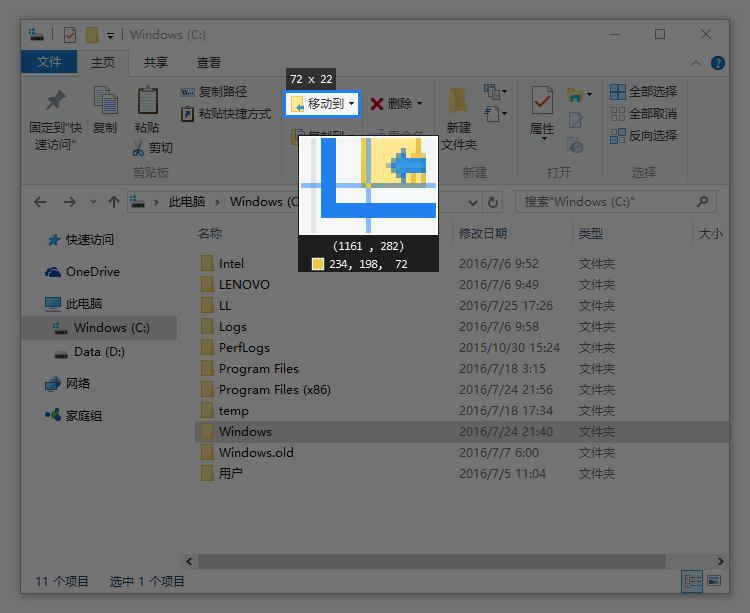
Powerful Screenshots
- Automatic detection of interface element areas
- Pixel-level mouse movement control, screenshot range control
- Color picker (try
F1, C, F3)
- History Playback (
,/.)
- Multi-screen support
- Supports high resolution screen
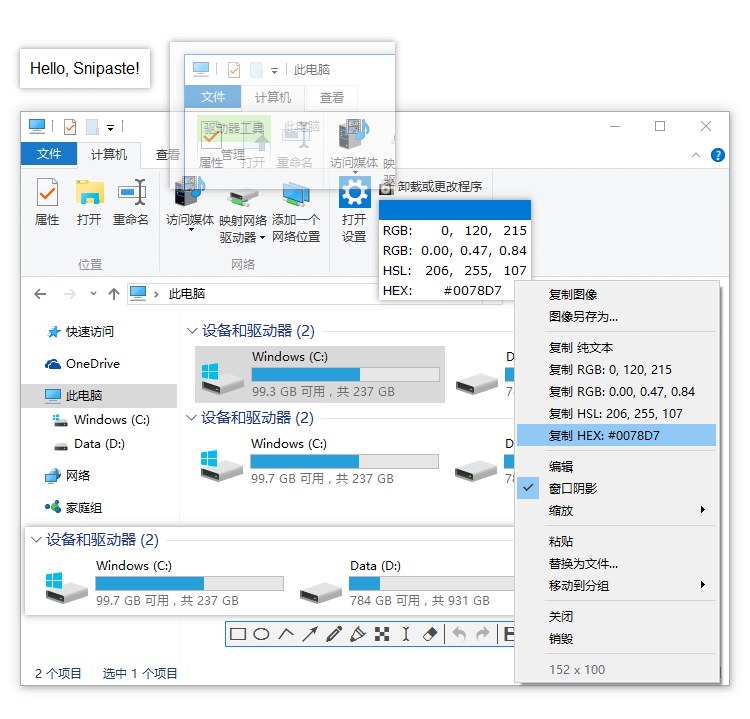
Display the image as a window on top
- Support for converting the following contents of the clipboard to images
- imagery
- plain text
- HTML text
- Color Information
- Image files: PNG, JPG, BMP, ICO, GIF et al. (and other authors)
- Operations supported by the picture window
- Zoom (
mouse wheel or +/-)
Acceleration/deceleration for GIF images
- Rotation (
1/2)
For GIF images it is Previous/Next Frame
- Mirror Flip (
3/4)
- Set the transparency (
Ctrl + mouse wheel or Ctrl + +/-)
- Mouse Penetration (
X, to cancel press F4)
- Thumbnails (
Shift + double-click)
- Image annotation (
space bar (keyboard))
- Hide (
Double left click)
- …
- Taking color (
Alt)
- File Drag and Drop
- Mapping Grouping
- Automatic backup, recovery
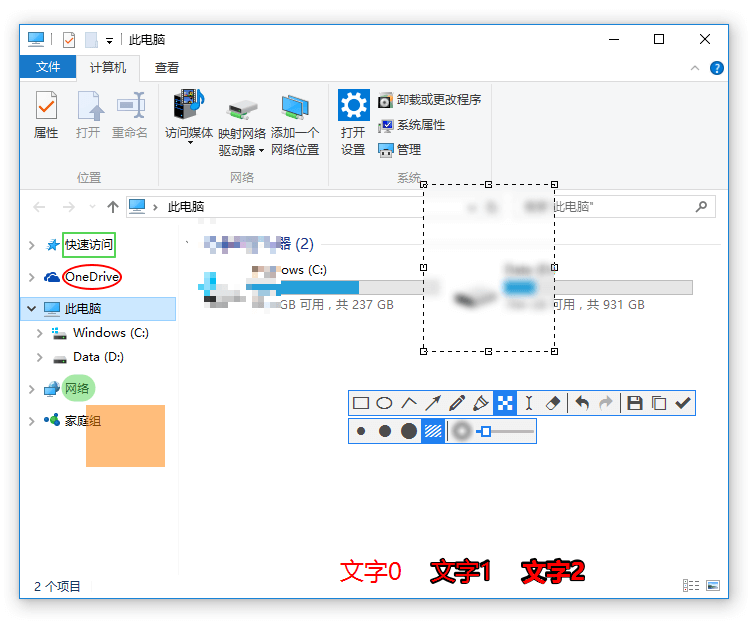
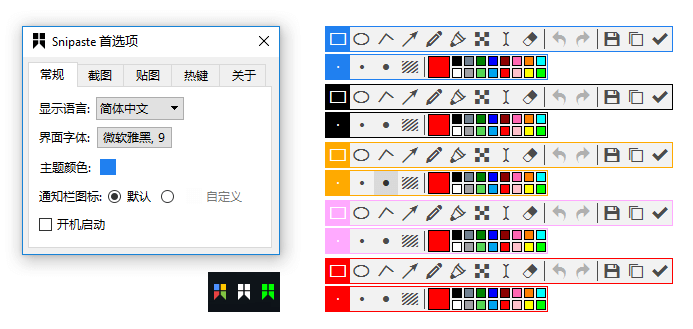
Easy labeling of images
- Rich drawing tools
- rectangles
- ellipses
- line (in drawing, painting etc)
- arrow symbol
- pens
- marker (loanword)
- writing style
- Advanced Markup Tools
- mosaic (loanword)
- Gaussian blur
- erasers
- Undo, redo
Customized settings
- Theme colors, interface fonts, notification bar icons, etc.
- (computer) shortcut key
- Rich functionality options
- Any other options you'd like? Just let me know.
Snipaste Notes
This site only has a mirrored Win version
Snipaste Download Links
Official website:Snipaste - Screenshots + Paste
Green 32-bit version: click to download
Green 64-bit version: click to download
I'm a blue shirt, focus on sharing: Internet scarce resources & black technology efficiency artifacts
35 Windows must be installed artifacts, you must not be allowed not to know
How can I download documents from Baidu's library for free? - Zhihu (zhihu.com)
Blueshirt Technology - PDF to X v7.0 Software + Activation Code (bluelsqkj.com)
How to find files in a second, enough to last a lifetime_哔里哔里_bilibili
When you buy a new Windows computer, what are the first software you think of installing? - Zhihu (zhihu.com)
PayPal domestic registration guide, only need domestic cell phone number! _beep_bilibili
![Snipaste usage screenshot[1]](https://nav.bluelsqkj.com/wp-content/uploads/2023/01/YbBFGdIUlu7Mf2ASMp46wMrIgYN2JzaNvM1k3q3F.webp)
![Snipaste usage screenshot[2]](https://nav.bluelsqkj.com/wp-content/uploads/2023/01/hETDmgBwtkThqx0gTc8ZcOxaQmmozbyp0Wcd1DmZ.webp)
![Snipaste usage screenshot[3]](https://nav.bluelsqkj.com/wp-content/uploads/2023/01/rbln7p7ftGeBhf2cPtdbyWU7S8qQ43pCyrMNcBcp.webp)
![Snipaste usage screenshot[4]](https://nav.bluelsqkj.com/wp-content/uploads/2023/01/cyvTwGUUJcSn3YBb52vylpMbJfcu8DkZ7v6BZztx.webp)
![Snipaste usage screenshot[5]](https://nav.bluelsqkj.com/wp-content/uploads/2023/01/GzkMQ6tYaxkK6HRiypGWcdo75Cu9sf8KNIZkkjnv.webp)
![Snipaste usage screenshot[6]](https://nav.bluelsqkj.com/wp-content/uploads/2023/01/4ObXYlIT7WyH6vGcAn8n4lUygizExVTe0qruGX1S.webp)