
![Typora usage screenshot[1]](https://nav.bluelsqkj.com/wp-content/uploads/2023/01/d8X4Bbsabe2cFck4LczbIaw7M6j9E1x2M6j8Aa44L2z4I3wdMfjdE7x5M5jeAe43MDgwMTE1MTY5LnBuZwO0O0OO0O0O.webp)
![Typora usage screenshot[2]](https://nav.bluelsqkj.com/wp-content/uploads/2023/01/d8X4Bbsabe2cFck4LczbIaw7M6j9E1x2M6j8Aa44L2z4I3wdMfjdE7x5M5jeAe43MDgwMTExMTAzLnBuZwO0O0OO0O0O.webp)
![Typora usage screenshot[3]](https://nav.bluelsqkj.com/wp-content/uploads/2023/01/d8X4Bbsabe2cFck4LczbIaw7M6j9E1x2M6j8Aa44L2z4I3wdMfjdE7x5M5jeAe43MDgwMTAzOTU2LnBuZwO0O0OO0O0O-1.webp)
![Typora usage screenshot[4]](https://nav.bluelsqkj.com/wp-content/uploads/2023/01/d8X4Bbsabe2cFck4LczbIaw7M6j9E1x2M6j8Aa44L2z4I3wdMfjdE7x5M5jeAe43MDgwMTEzMTQ4LnBuZwO0O0OO0O0O.webp)
![Typora usage screenshot[5]](https://nav.bluelsqkj.com/wp-content/uploads/2023/01/d8X4Bbsabe2cFck4LczbIaw7M6j9E1x2M6j8Aa44L2z4I3wdMfjdE7x5M5jeAe43MDgwMTA4MTU4LnBuZwO0O0OO0O0O.webp)

Ninth Tour - Latest Version
Jiuyou is a professional game platform in China
Integrated official download address & domestic high-speed download address
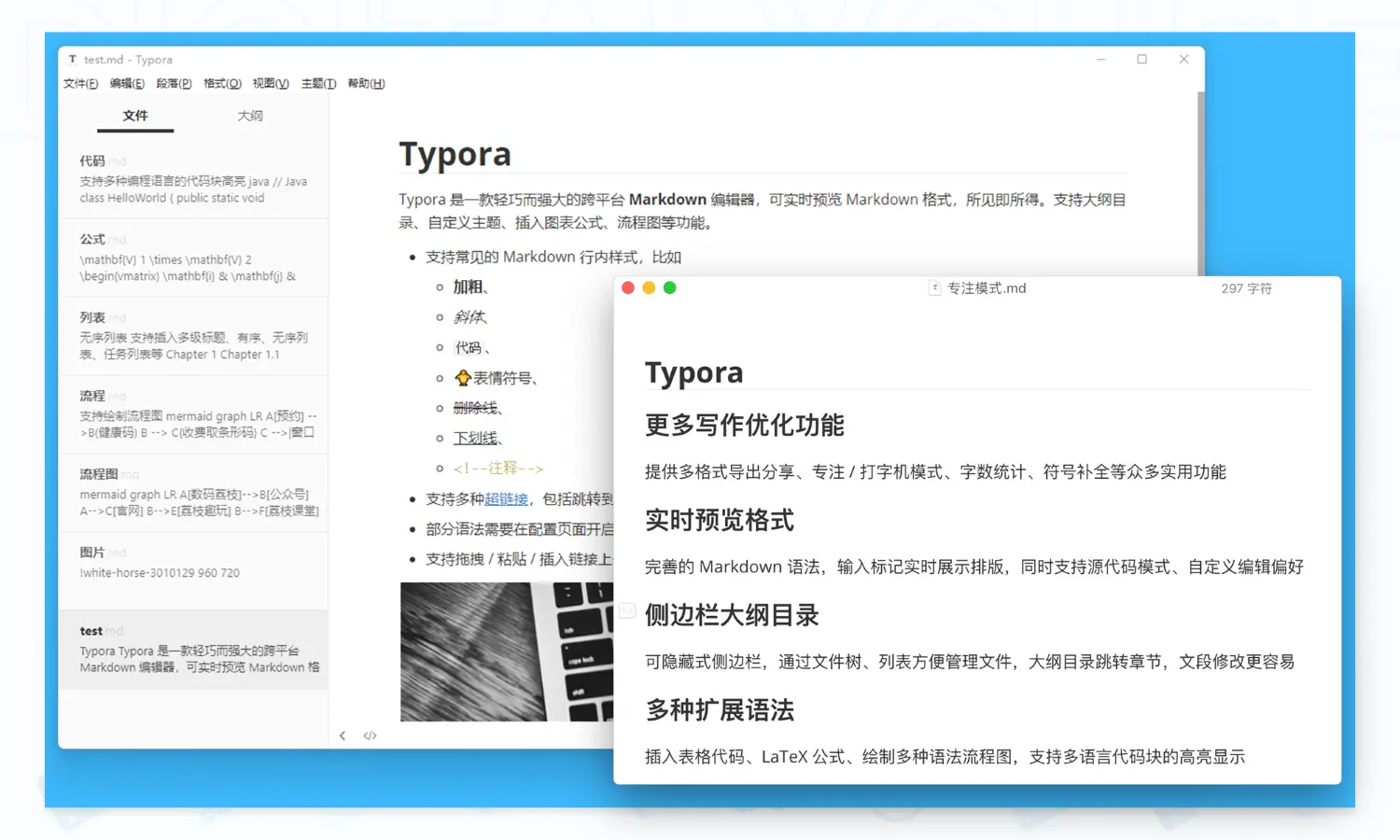
Typora is a Markdown editor for Windows / macOS platform, editing real-time preview markdown formatting, WYSIWYG, lightweight and powerful. It supports outline table of contents, inserting pictures, formulas, flowcharts, etc. Combined with document management, typewriter mode, and customizable themes, you can enjoy the joy of writing.
| single-user edition | Warm Tips |
|---|---|
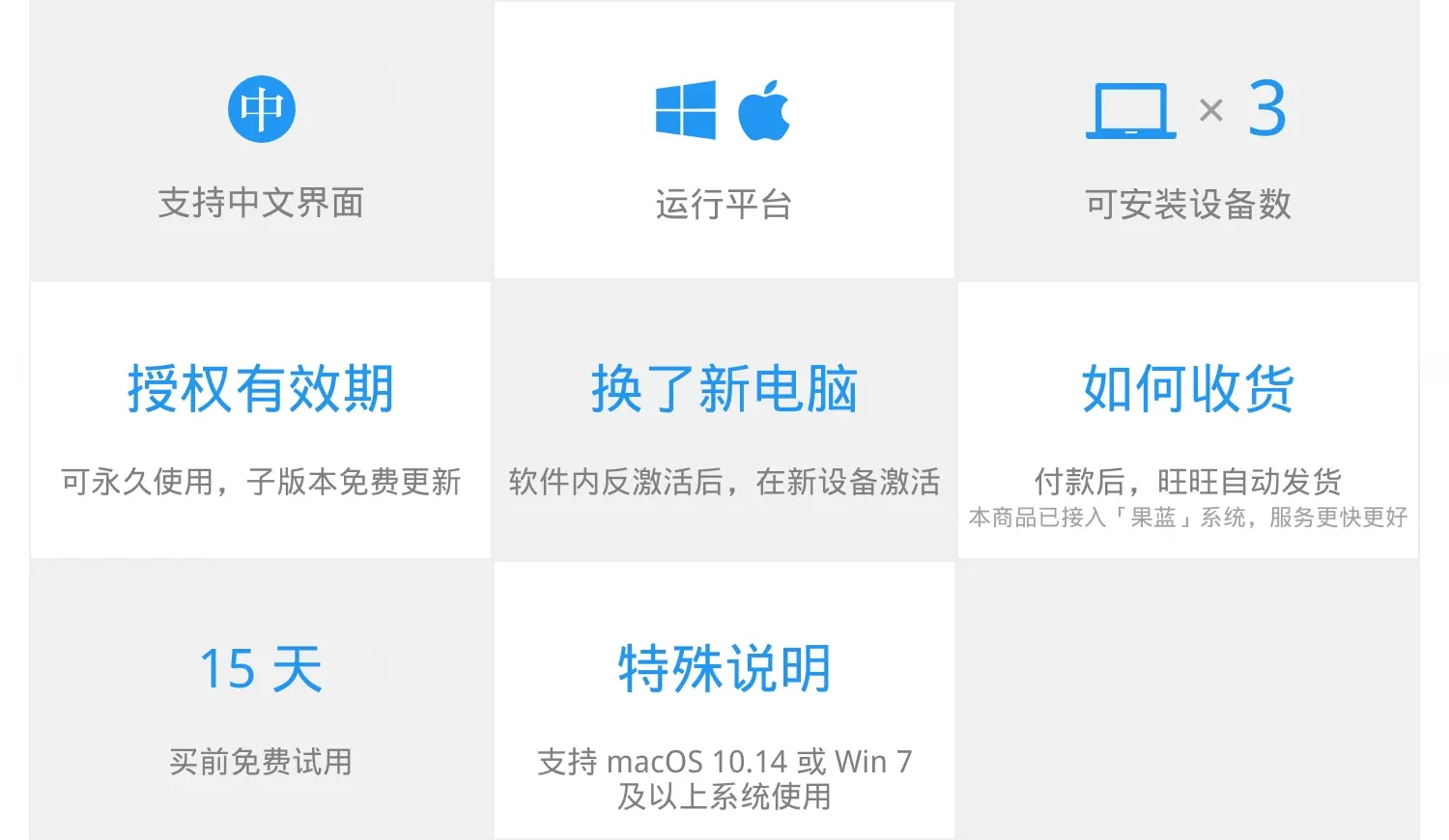
| 3 devices can be activated | For activation of more than one device, multiple units can be purchased on demand |
Typora
| Function | Beta version | official version |
|---|---|---|
| Real-time rendering format | ● | ● |
| Outline catalog view | ● | ● |
| Support for graphical beds | ● | ● |
| Support for code block highlighting | ● | ● |
| Support for formulas / flowcharts | ● | ● |
| Support for customized themes | ● | ● |
| Multi-format export sharing | ● | ● |
| Unlock subsequent new features | ● | |
| Remove page update prompt | ● | |
| Remove page inactivation prompt | ● |
Live Preview Format
Perfect Markdown syntax, input markup real-time display layout, while supporting source code mode, custom syntax preferences
Sidebar Outline Catalog
Hidden sidebar, easy to manage files through file tree and list, outline directory to jump chapters, easier to modify text paragraphs
Multiple extension syntaxes
Supports contextualization, tables, LaTeX formulas, drawing sequence diagrams/flowcharts, and highlighting of code blocks in all languages.
Flexible support for graphic beds
Can interface with iPic, PicGo and other image bed tools, support Custom Command, to realize a variety of image uploading methods.
Customized Themes
Built-in several style themes, you can also modify the CSS file to customize the theme style, text creation more comfortable!
More writing optimization features
Provides many useful functions such as multi-format export and sharing, focus/typewriter mode, word count, symbol completion and so on.
Once you have received your license, activate the software by following these steps:
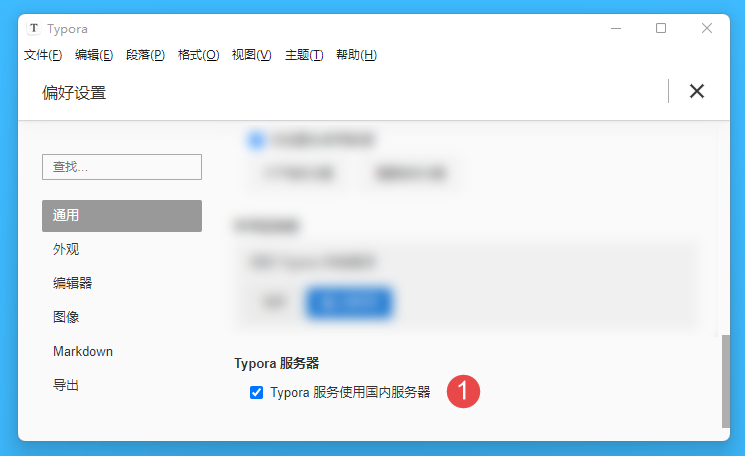
Run Typora, go to File > Preferences > General, and check the "Use domestic servers for Typora service" box:
Click on "Help > My License..." option on the top menu bar:
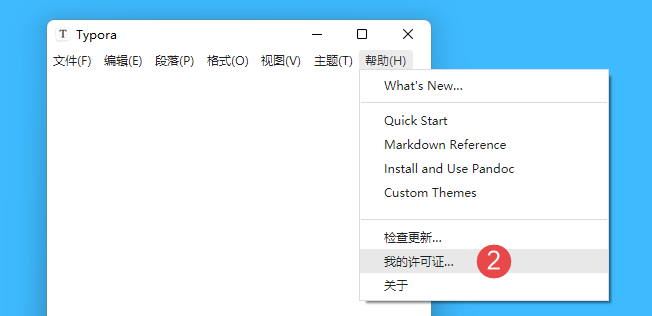
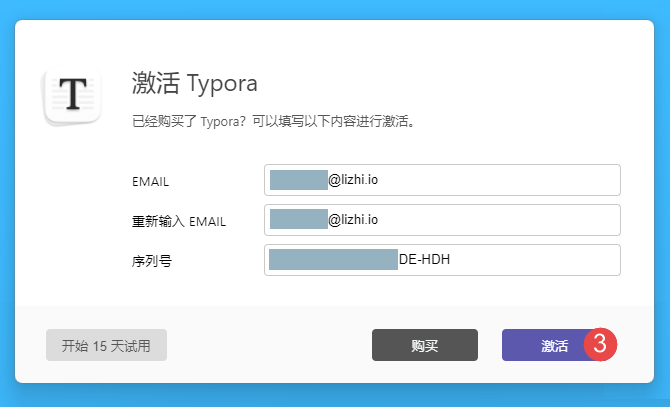
Third, enter your authorization email and authorization code in the pop-up window, and click "Activate" to unlock all the functions.
35 Windows must be installed artifacts, you must not be allowed not to know
Flint Security V5.0.69.5 (Official Version) - Blueshirt (bluelskj.com)
How can I download documents from Baidu's library for free? - Zhihu (zhihu.com)
Blueshirt Technology - PDF to X v7.0 Software + Activation Code (bluelsqkj.com)
How to find files in a second, enough to last a lifetime_哔里哔里_bilibili